Friday, 26 October 2012

WEEK 12 FYP 2


Title:
Combining method 3 coding with GUI

Objective:
To combine and finalize the coding and GUI for Method 2: Discrete Cosine Transformation

Content/Result:
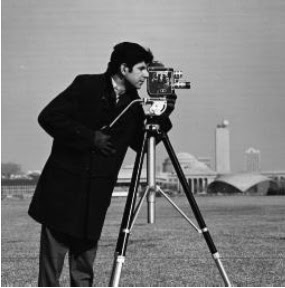
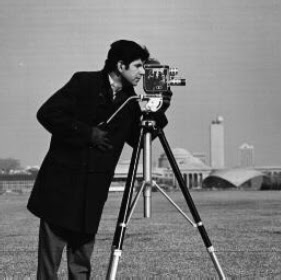
After I completing the coding process and GUI, now I combined it together to show the output which contains the original image and the stego image by using Discrete Cosine Transformation method. Below is the full programmed for Discrete Cosine Transformation method. The "Ninja Turtle" image is the original image. The "Boy" is the secret image that need to be hide. When the "Ninja Turtle" is embedded, its contains the secret image in it.


Conclusion:
After applying the coding, the changes at the low frequencies (top left corner) of the cover image is a little obvious. This is because I focuses and hide the hidden image in the low frequencies and ignoring the high frequencies of it. Although it is obvious, somehow human visible vision did not aware of the changes.


Friday, 19 October 2012

WEEK 11 FYP 2


Title:
Built Graphic User Interface (GUI)

Objective:
To create Graphic User Interface (GUI) for MATLAB coding

Content/Result:
I built GUI that will be use together with coding from last week. Below is the GUI for DCT method. To run the GUI, user needs to:
  1. Select the cover image
  2. Select the secret image
  3. Press hide the image button
  4. Save the embedded image
  5. Press recover image button to recover image


Conclusion:
This GUI will be used as my Interface together with the Discrete Cosine Transformation coding. User can see the original image and the hidden image before and after the stego process.


Friday, 12 October 2012

WEEK 10 FYP 2


Title:
Discrete Cosine Transformation Source Code

Objective:
To gain and generate the coding for Image Steganography by using Discrete Cosine Transformation method

Content/Result:
For Discrete Cosine Transformation, I used the DCT formula built-in in the MATLAB. The steps that I've done are:
  1. read the cover image
  2. broke the cover image into 8×8 block of pixels (segmentisation)
  3. applied the DCT function for each block of cover image
  4. read the hidden image
  5. applied the DCT function for f hidden image
  6. merge/hide the DCT cover image and the DCT hidden image
  7. applied inverse DCT function for the merged image of cover and hidden image

Some of the coding examples is as below:

% RED
for i=1:100
    for j=1:100
        blockmatrix = CoverR( (i-1)*8+1:(i-1)*8+8, (j-1)*8+1:(j-1)*8+8 );
        dctblockmatrix = dct(blockmatrix);
        JEmbedR( (i-1)*8+1:(i-1)*8+8, (j-1)*8+1:(j-1)*8+8 ) = dctblockmatrix;
        JEmbedR( (i-1)*8+8:(i-1)*8+8, (j-1)*8+8:(j-1)*8+8 ) = JHiddenR(i, j);
    end
end
for i=1:100
    for j=1:100
        blockmatrix = JEmbedR( (i-1)*8+1:(i-1)*8+8, (j-1)*8+1:(j-1)*8+8 );
        invdctblockmatrix = idct(blockmatrix);
        uncoverR( (i-1)*8+1:(i-1)*8+8, (j-1)*8+1:(j-1)*8+8 ) = invdctblockmatrix;
    end
end


Conclusion:
The DCT method can separate the image into low, medium and high frequencies. Most of the data are stored in low frequencies. So the hidden image will be store in low frequencies.


Friday, 5 October 2012

WEEK 9 FYP 2


Title:
Research for Discrete Cosine Transformation (DCT)

Objective:
To know deeply about Discrete Cosine Transformation (DCT) method used in Image Steganography

Content/Result:
  • The DCT transforms a signal or image from the spatial domain to the frequency domain. 
  • It separates the image into parts (or spectral sub-bands) of differing importance (with respect to the image's visual quality). 
  • It can separate the image into High, Middle and Low Frequency components. 
  • The human eye is able to catch modifications to the lower frequencies since most of the image's frequency content is located in this area.  
  • For each color component, the JPEG image format uses a discrete cosine transform (DCT) to transform successive 8 × 8 pixel blocks of the image into 64 DCT coefficients each. The DCT coefficients F(u, v) of an 8 × 8 block of image pixels f(x, y) are given by 

DCT 8x8 basic function

             
Original image before DCT applied
Original image after DCT applied

Conclusion:
The JPEG image format uses a discrete cosine transform (DCT) to transform successive 8 × 8 pixel blocks of the image into 64 DCT coefficients each. It can separate the image into High, Middle and Low Frequency components. The human eye is able to catch modifications to the lower frequencies since most of the image's frequency content is located in this area. 


Friday, 28 September 2012

WEEK 8 FYP 2


Title:
Combining method 2 coding with GUI

Objective:
To combine and finalize the coding and GUI for Method 2: Masking and Filtering

Content/Result:
After I completing the coding process and GUI, now I combined it together to show the output which contains the original image and the stego image by using Masking and Filtering method. Below is the full programmed for Masking and Filtering method. The "Michael Jackson" image is the original image. The "Pirates" is the secret image that need to be hide. When the "Michael Jackson" is embedded, its contains the secret image in it.


Conclusion:
After applying the coding, the luminance of the cover image; "Michael Jackson" is slightly different. However he differences between those two image is cannot slightly detected by human visual system.


Friday, 14 September 2012

WEEK 7 FYP 2


Title:
Built Graphic User Interface (GUI)

Objective:
To create Graphic User Interface (GUI) for MATLAB coding

Content/Result:
I built GUI that will be use together with coding from last week. Below is the GUI for LSB method. To run the GUI, user needs to:
  1. Select the cover image
  2. Select the secret image
  3. Press hide the image button
  4. Save the embedded image
  5. Press recover image button to recover image


Conclusion:
This GUI will be used as my Interface together with the Masking and Filtering coding. User can see the original image and the hidden image before and after the stego process.


Friday, 7 September 2012

WEEK 6 FYP 2


Title:
Masking and Filtering Source Code

Objective:
To gain and generate the coding for Image Steganography by using Masking and Filtering method

Content/Result:
For masking and filtering, I changed the luminance of the cover image by inserting the hidden image in it. The steps that I've done are:
  1. read the cover and hidden image
  2. cover the cover image into binary matrix
  3. hide the hidden image into the matrix of cover matrix
  4. update the binary matrix of the cover image
  5. convert back the update binary matrix of cover + hidden into numerical
  6. extract the hidden image
  7. update the binary matrix of the cover image
Some of the coding examples is as below:

function [I_image_rev] = mf_image(coverimg, hiddenimg)


%% read the cover and hidden images
I_image = coverimg;
I_hidden = hiddenimg;
[m,n,o]=size(I_image);
[m1,n1] = size(I_hidden);

%% cover the cover image into binary matrix
for i=1:m,
    for j=1:n,
        for k=1:o,
            I_image_bin{i,j,k} = {dec2bin(I_image(i,j,k),8)};
        end
    end
end

%% hide the hidden image into the matrix of cover matrix
for i=1:m1,
    for j=1:n1,
            I_image_hidden{i,j} = {dec2bin(I_hidden(i,j),8)};
            
            binaryof_I_image_hidden = cell2mat(I_image_hidden{i,j});
            
            binaryof_I_image_bin_1st_R = cell2mat(I_image_bin{(i-1)*3+1,j,1});
            binaryof_I_image_bin_1st_G = cell2mat(I_image_bin{(i-1)*3+1,j,2});
            binaryof_I_image_bin_1st_B = cell2mat(I_image_bin{(i-1)*3+1,j,3});
            binaryof_I_image_bin_2nd_R = cell2mat(I_image_bin{(i-1)*3+2,j,1});
            binaryof_I_image_bin_2nd_G = cell2mat(I_image_bin{(i-1)*3+2,j,2});
            binaryof_I_image_bin_2nd_B = cell2mat(I_image_bin{(i-1)*3+2,j,3});
            binaryof_I_image_bin_3rd_R = cell2mat(I_image_bin{(i-1)*3+3,j,1});
            binaryof_I_image_bin_3rd_G = cell2mat(I_image_bin{(i-1)*3+3,j,2});
            binaryof_I_image_bin_3rd_B = cell2mat(I_image_bin{(i-1)*3+3,j,3});


Conclusion:
I hide the secret image by changing the luminance of the cover image. The differences between those two image is cannot slightly detected by human visual system.